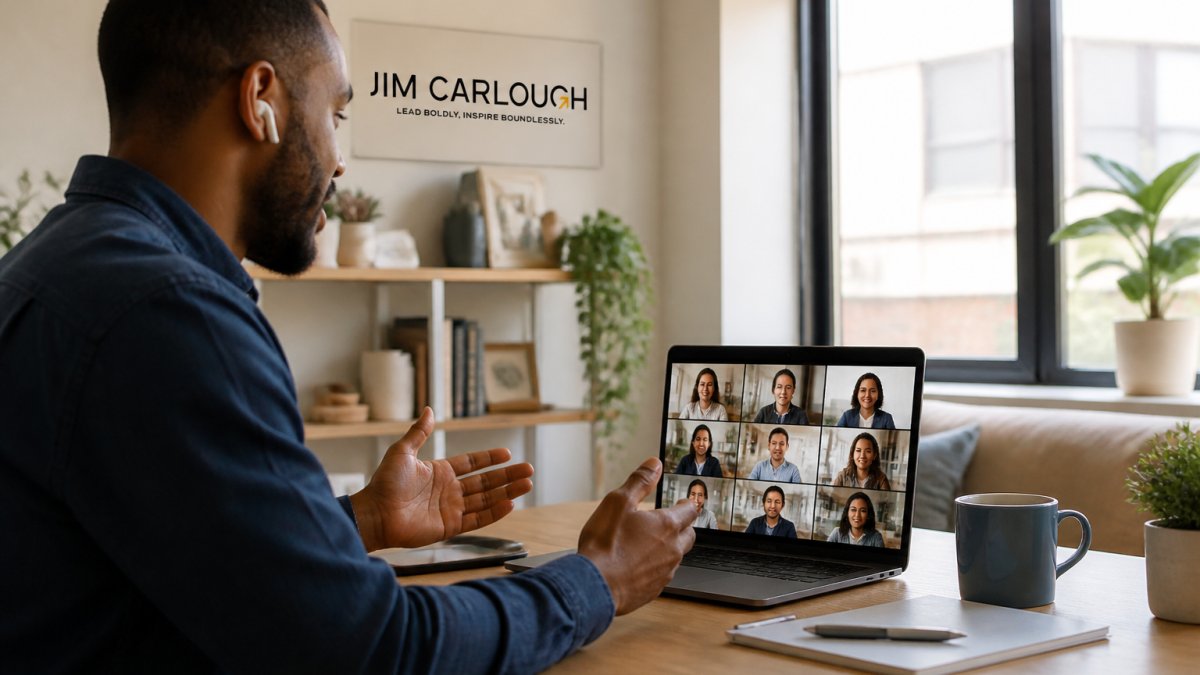
How to Foster Team Collaboration in Remote Environments?
Last Updated: October 25, 2026
Quick Summary
How to foster team collaboration in remote environments starts with clarity: define your top three to five goals, map out roles and responsibilities, establish communication norms across channels, choose a focused tool stack, and hold regular structured meetings. Build trust intentionally, document decisions, and measure outcomes like decision turnaround time and employee sentiment to adjust practices based on evidence.
- Define top three to five quarterly goals and link individual roles to team goals so everyone understands their connection.
- Establish communication norms: urgent issues to Slack, updates to shared documents, strategic decisions to synchronous meetings.
- Schedule weekly 30-minute one-on-ones and 45-minute team syncs with clear agendas for alignment and decision-making, not status updates.
- Create a decisions log documenting the date, reasoning, and owner to replace hallway context that offices naturally provide.
- Track collaboration metrics like decision turnaround time, meeting load, and employee sentiment every four to six weeks to guide adjustments.
Table of Contents
- Set Clear Goals and Establish Role Clarity
- Implement Remote Team Communication Strategies
- Choose and Govern Remote Team Collaboration Tools
- Hold Regular Check-Ins and Structured Meetings
- Build Trust and Psychological Safety Across Time Zones
- Apply Remote Team Collaboration Best Practices
- Strengthen Connection Through Remote Team-Building Activities
- Measure Collaboration Outcomes and Adjust
- Frequently Asked Questions
Set Clear Goals and Establish Role Clarity
How to foster team collaboration in remote environments starts with clarity: your team needs to know what they're working toward and who owns what. Define your top three to five goals for the next quarter, write them down, and share them so every person understands how their role connects to those goals.
What this looks like in practice:
- Create a shared document listing each person's primary responsibilities
- Define decision authority: who can approve budgets, hire, make process changes
- Link individual goals to team goals so people see the bigger picture
When your team knows the target and their lane, they know when to loop someone in and when to move forward alone.
Implement Remote Team Communication Strategies
Remote team communication requires intentional design, or your team defaults to constant Slack messages or endless video calls. Establish communication norms: urgent issues go to Slack, project updates to a shared document, strategic decisions to a synchronous meeting. Async-first thinking helps too, a recorded video update, written summary, or threaded discussion gets the job done faster and lets people engage when they have bandwidth.
Communication channel framework:
- Slack/instant messaging: Quick questions, urgent issues, day-to-day coordination
- Email: Formal updates, decisions that need a paper trail, announcements
- Shared documents: Project plans, meeting notes, ongoing documentation
Set response-time expectations too: a 24-hour window for most messages reduces stress and respects different working styles.
Choose and Govern Remote Team Collaboration Tools
Too many tools create chaos, but one isn't enough either. Pick your core stack: one project management tool, one communication platform, one document repository. Before adding a new tool, ask what problem it solves that you don't already have, if the answer is vague, skip it.
Governance rules for tool adoption:
- New tools require team input, don't impose them unilaterally
- Designate one person as the "tool steward" who learns it deeply
- Set a trial period (usually 30 days) before making it permanent
The goal isn't the fanciest tools but the right ones, configured well and used consistently. When everyone knows the system and sticks to it, collaboration flows.
Hold Regular Check-Ins and Structured Meetings
Remote teams need structured touchpoints, or people feel disconnected and miss critical context, but too many meetings drain energy. Schedule a weekly 30-minute one-on-one with each direct report to catch problems early and build trust.
Meeting structure for remote teams:
- Weekly one-on-ones: 30 minutes, individual check-in and coaching
- Weekly team sync: 45 minutes, alignment and decision-making
- Bi-weekly strategy: 60 minutes, planning and problem-solving
research on meeting effectiveness in distributed teams shows that structured, purposeful meetings build stronger remote teams than frequent informal check-ins. The key is consistency and clear purpose.
Document and share decisions from your meetings to create a record and ensure alignment. Link to How to Stop Micromanaging My Team: A Practical Guide for guidance on structuring check-ins that build trust instead of creating anxiety.
Remote teams benefit from a consistent meeting rhythm tailored to different purposes.
| Meeting Type | Frequency | Duration | Primary Purpose |
|---|---|---|---|
| One-on-ones | Weekly | 30 minutes | Individual check-in and coaching |
| Team sync | Weekly | 45 minutes | Alignment and decision-making |
| Strategy meeting | Bi-weekly | 60 minutes | Planning and problem-solving |
| All-hands | Monthly | 60 minutes | Company updates and recognition |
Build Trust and Psychological Safety Across Time Zones
Trust doesn't happen by accident in remote settings, build it intentionally.

Watch out: micromanaging feels like control to you but distrust to your team.
Link to How to Build Trust in Hybrid Work Environments to dive deeper into creating psychological safety across your distributed team.
Apply Remote Team Collaboration Best Practices
The best remote teams sequence their habits rather than fixing everything at once, new tools, meeting cadences, and documentation rules in the same week burns the team out on process before any of it sticks. Roll out the practices below in phases with named owners and a short review at the end of each phase.
A 30-60-90 day rollout plan
Treat this as a starting sequence, not a rigid mandate, adjust the timing to your team's size and remote history.
Days 1-30: Stabilize the basics.
- Owner: team lead. Publish a one-page team charter covering goals, roles, decision rights, and the communication channel framework. Keep it to a single page so people actually read it.
- Owner: team lead. Audit the current tool stack and cut anything that fewer than half the team uses weekly. Fewer tools means less context switching.
- Owner: each manager. Start weekly 30-minute one-on-ones if they don't already exist.
Days 31-60: Build the async layer.
- Owner: a designated documentation steward (rotate quarterly). Create a shared knowledge base with a simple structure: decisions log, project briefs, meeting notes, and a how-we-work page.
- Owner: team lead. Convert at least one recurring status meeting into a written async update. Track whether anything breaks.
- Owner: each manager. Introduce a 24-hour response-time norm for non-urgent messages and model it publicly.
Days 61-90: Strengthen connection and feedback.
- Owner: team lead. Launch one optional social channel and one recurring optional social event (virtual coffee, lunch-and-learn, or interest channel). Keep it opt-in.
- Owner: each manager. Run a short pulse survey (5-7 questions) on collaboration clarity, meeting usefulness, and psychological safety.
- Owner: team lead. Review the survey results with the team and pick one or two practices to change based on what you heard.
Assign a single owner to each phase. Shared ownership of a process change usually means no one owns it. Rotate the documentation steward role so the burden doesn't fall on one person indefinitely.
Core practices that make the plan work
Document decisions, not just outcomes. A decision that lives only in a Slack thread disappears when the thread scrolls away.
Make informal connection optional and low-effort. Mandatory fun backfires.
research on remote team effectiveness consistently finds that teams with strong social bonds collaborate more effectively and retain people longer.
Link to start a conversation with Jim for coaching on sequencing these practices for your specific team.
Strengthen Connection Through Remote Team-Building Activities
Remote teams need intentional connection, but fake team-building backfires fast. Skip mandatory happy hours and create optional spaces instead: a virtual coffee channel, a monthly lunch-and-learn, a Slack channel for hobbies and pets. If budget allows, one or two in-person days per year build relationships, but don't force it, since some people have travel constraints.
Link to How to Develop Team Cohesion in Distributed Teams for specific activities and frameworks designed for remote teams.
Measure Collaboration Outcomes and Adjust
You can't improve what you don't measure, but most collaboration metrics fail because they count activity instead of outcomes. The indicators below each map to a specific collaboration behavior you can change.
Practical indicators to track
Pick two or three to start, tracking everything at once competes with the actual work.
- Decision turnaround time. Measure elapsed time from a decision being raised to being made and recorded. If decisions routinely stall for more than a week, the problem is usually unclear decision rights, not lack of information.
- Participation balance. In your next three team meetings, note who speaks and how often. If a small subset accounts for most of the airtime, quieter contributors, often in other time zones or working asynchronously, are being structurally excluded.
- Project handoff delays. Track the time between one person finishing their part and the next picking it up. Long handoffs signal missing documentation, unclear ownership, or a tool that doesn't surface the handoff.
Don't turn collaboration metrics into individual performance scores. The moment people believe their participation is being ranked, they game the metric, speaking more in meetings, sending more messages, or hoarding visible work. Measure at the team level and use the data to change systems, not to evaluate people.
Set a baseline before you change anything
Before adjusting practices, capture a baseline so you can tell whether changes worked: current pulse survey results (one round is enough), average decision turnaround time over the last month, a rough count of recurring meetings per person per week, and one or two recent handoff delays. A rough baseline beats no baseline, it lets you answer "did this change help?" with something other than a feeling.
Review on a fixed cadence
Put a 30-minute collaboration review on the calendar monthly or quarterly, depending on team size, with the same agenda each time:
- Review the baseline and current numbers side by side.
- Read the open-text survey responses aloud (anonymized).
- Pick one or two practices to change, with a named owner and a review date.
- Record the change in the decisions log so the next review can evaluate it.
Adjust based on what you learn: if meetings feel unproductive, change the format or convert one to async; if people feel disconnected, add optional connection time rather than mandatory events; if decisions stall, clarify decision authority before adding more check-ins.
Link to How to Improve Team Engagement Metrics: A Manager's Action Plan for a framework on turning these indicators into a repeatable review process.
Gallup's research on team engagement consistently links clear goals, strong communication, and psychological safety to higher performance and retention, which is why the sentiment and retention indicators above are worth tracking alongside the operational ones.
Frequently Asked Questions
What improves collaboration in remote teams most?
Clear communication channels, defined roles, and regular synchronous check-ins form the foundation. However, psychological safety, where team members feel safe taking interpersonal risks without fear of embarrassment, drives the deepest collaboration gains. When leaders model vulnerability and active listening, remote teams shift from transactional exchanges to genuine problem-solving partnerships. Combine this with asynchronous documentation so distributed teams across time zones can build on each other's work without waiting for real-time responses.
How can managers build trust on a remote team?
Trust in remote environments grows through consistency, transparency, and deliberate visibility. Schedule one-on-ones with each direct report bi-weekly to understand their work and challenges. Share your own struggles and decisions openly in team meetings. Acknowledge contributions publicly and ensure recognition happens across time zones, not just during live calls. Most importantly, follow through on commitments and communicate delays early. When team members see you keeping your word and treating their feedback seriously, trust compounds quickly, even without in-person proximity.
How can remote teams communicate more effectively?
Establish a communication strategy that separates synchronous from asynchronous needs. Use instant messaging for quick questions, email for formal decisions, video calls for complex discussions, and shared documentation for knowledge that needs to persist. Set clear norms: response-time expectations, which channel for which message type, and meeting-free windows to protect focus time. Train your team on active listening in virtual settings, asking clarifying questions, summarizing what they heard, and checking for understanding reduces misunderstandings that plague distributed teams. Document decisions in writing after verbal discussions so nothing gets lost in interpretation.
What tools help remote teams collaborate effectively?
The best tools depend on your workflow, but most teams need: project management software (to track task ownership and milestones), instant messaging (for quick communication), video conferencing (for complex conversations), and shared document storage (for knowledge sharing and transparency). Avoid tool sprawl, too many platforms create information overload and confusion. Choose 3-4 core tools, integrate them where possible, and establish governance rules so your team knows which tool to use when. Regularly audit adoption and retire tools that aren't being used to reduce cognitive load.
How to foster team collaboration in remote environments isn't complicated. It requires clarity on goals, intentional communication, the right tools, and genuine trust. When you nail these fundamentals, your team collaborates effectively regardless of where they're located. The best remote teams aren't just functional, they're often more collaborative than co-located teams because they've had to be intentional about every interaction. Start with one practice this week. Build from there.